


Your Skyblock Island
Every player begins with a starter island. This consists of a main island, where the Island Market is located, and surrounding islands that provide various resources and mission lines for your beginning. You have complete freedom to customize and rebuild everything on your islands according to your vision. Please note, however, that the default island cannot be deleted.
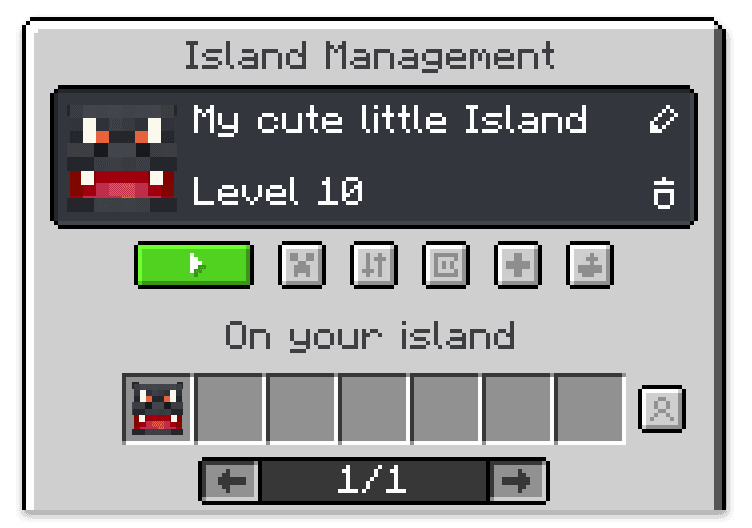
The central hub for management is the command /island. If you are currently not on an island, this command opens your general island overview. If you are already on an island, it will take you directly to the specific menu for that world. From there, you can teleport to your island, view all important information, and manage all settings and permissions.
Additionally, the menu offers a real-time overview of who is currently visiting your island. By clicking the visitor history button next to it, you can see exactly which players have recently visited your island.
Additional Islands
On our Skyblock server, you have the opportunity to not only manage your own starter island but also become a member of other islands or unlock additional island worlds for yourself.
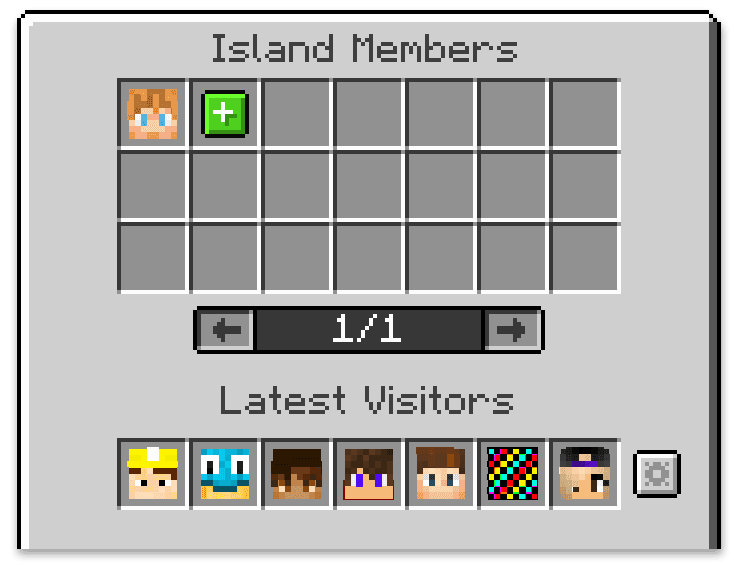
You can be a member of as many islands as you like. However, there is a limit for each island: every island can have a maximum of 7 members. As a member, your possibilities depend on the permissions granted by the island owner. Depending on your rank, you can access all resources and functions as if it were your own island. This is particularly useful for collaborating with friends or working together on large projects.
You can unlock space for an additional personal island by paying a one-time fee of Rubies. This will grant you an extra empty world that you can build, design, and expand as you wish. Since your default island already provides plenty of space, an additional island is entirely optional. It can be useful if you want to separate your islands by theme or permission levels, such as for a special building project or to play with a different group of friends.
Member Management
Through the member management menu, which you can access via the button with the face icon, you control all members and their permissions. This menu shows you at a glance who is a member of your island and who visited recently. This allows you to assign specific rights as needed. You can also define general permissions for visitors on your island. Naturally, you can also add new members or remove existing ones here.
When adding a new member, you can not only define their exact permissions but also optionally set a time limit. This is especially helpful if you only need short-term assistance, for example, for building a farm or a specific project.
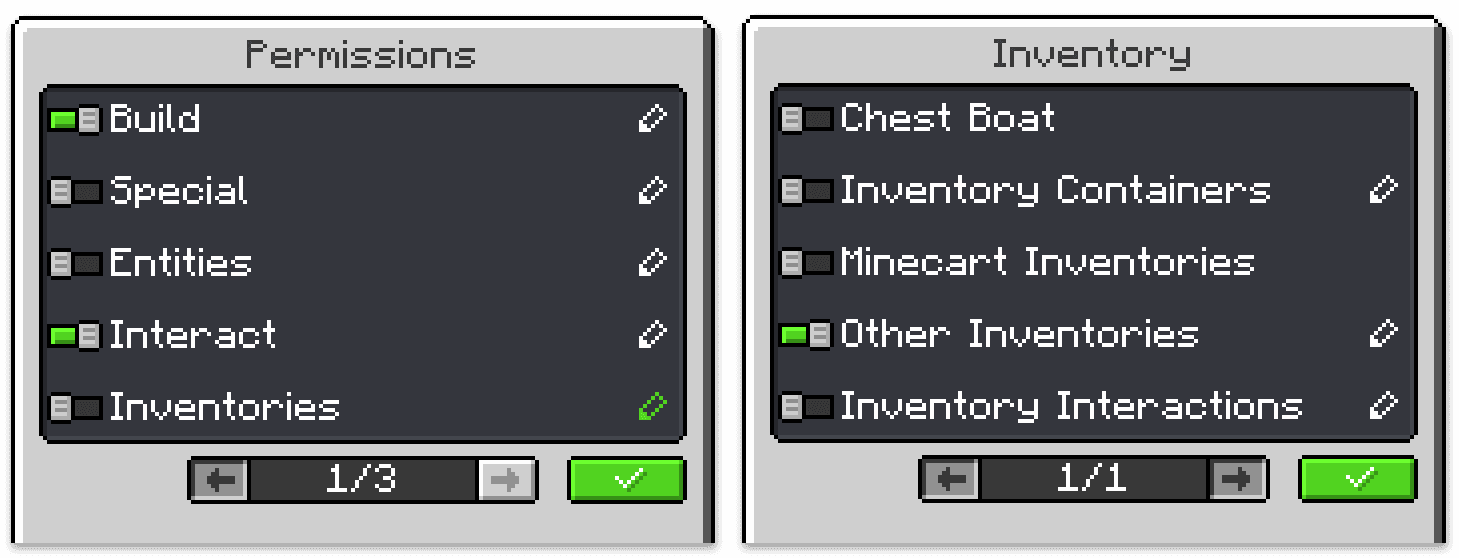
To make management easier, we have designed a very comprehensive and layered permission system. This allows you to control rights either broadly through categories or adjust them down to the smallest detail if necessary. By clicking the pencil icon, you can further refine the settings for individual categories. While the possibilities are extensive, the predefined standard categories are sufficient in most cases.
Island Settings
The button with the small island icon takes you to the settings, where you can define all fundamental world properties for your island. These include the island name as well as various teleportation points for members or visitors. You can also determine whether your island should be publicly accessible. Visual aspects, such as the weather and time of day, can also be customized individually in this menu.
Island Levels
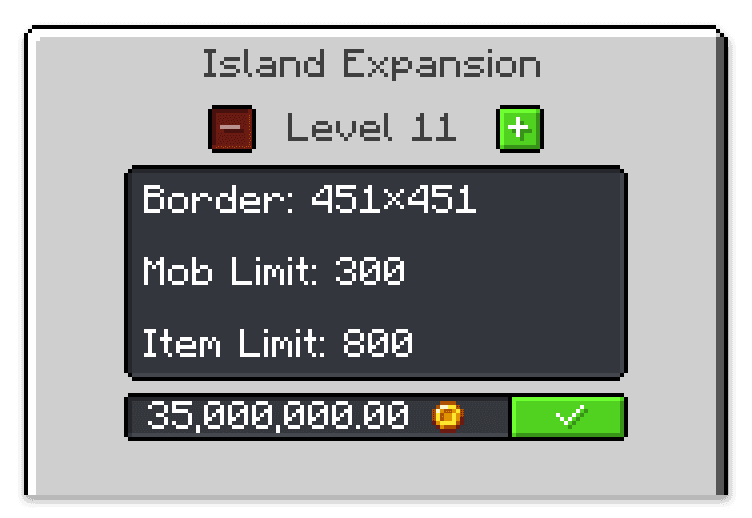
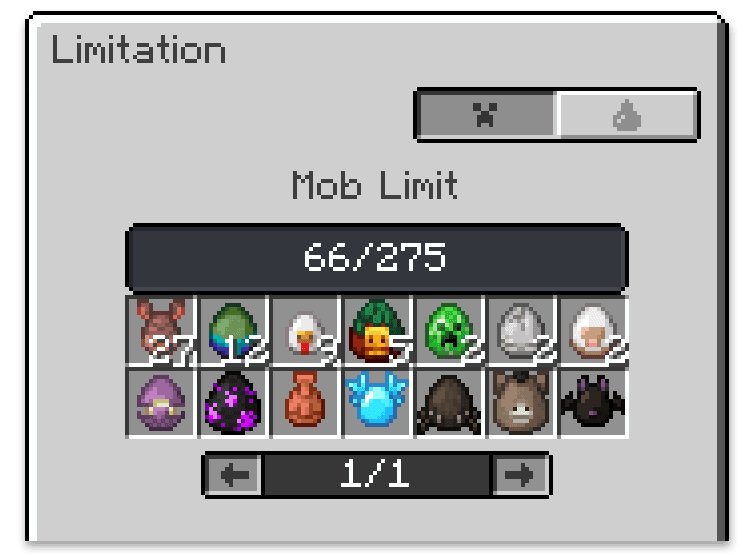
Our Skyblock islands feature so-called Island Levels. These determine the size of the buildable area and how many mobs or items can exist on the island at the same time. You can increase the island level at any time in the island settings, provided you have the necessary Coins. If you are running out of space or need more room for additional animals, monsters, and items, it is worth investing Coins into upgrading your island level.
Island Limitations
Every island is subject to certain restrictions, which are determined directly by the respective island level. By clicking the button with the Creeper face, you can check exactly how many animals and monsters are currently on your island at any time. This includes a detailed breakdown of the different types. The same overview applies to dropped items on the island, ensuring you always stay in full control of your capacities.
Island Bank
The island bank serves as the central hub for all transactions related to your island. If you are working with other players, the island bank is particularly useful for exchanging Coins or saving up together for future upgrades.
To ensure the security of your collective savings, all island bank transactions are fully transparent and logged. Additionally, permissions can be managed individually, allowing you to precisely define which members are allowed to deposit or withdraw Coins.
About Cytooxien
Since 2011, our dedicated team has been passionately working to create a unique Minecraft Multiplayer experience – always on the latest Minecraft version and with ❤️ for the game.


Partner & Friends


